🔁 Switching Fundamentals
MAC address tables, MAC filtering, and VLANs explain how switches think, learn, secure, and segment networks. These are core CCST concepts and are heavily used in Cisco Packet Tracer labs and real networks built using Cisco Systems devices.
🧠 PART 1: MAC Address Tables
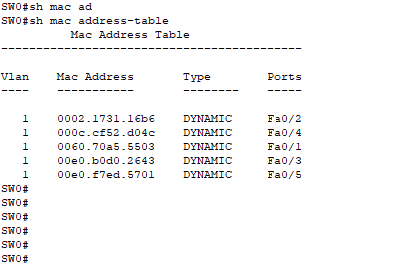
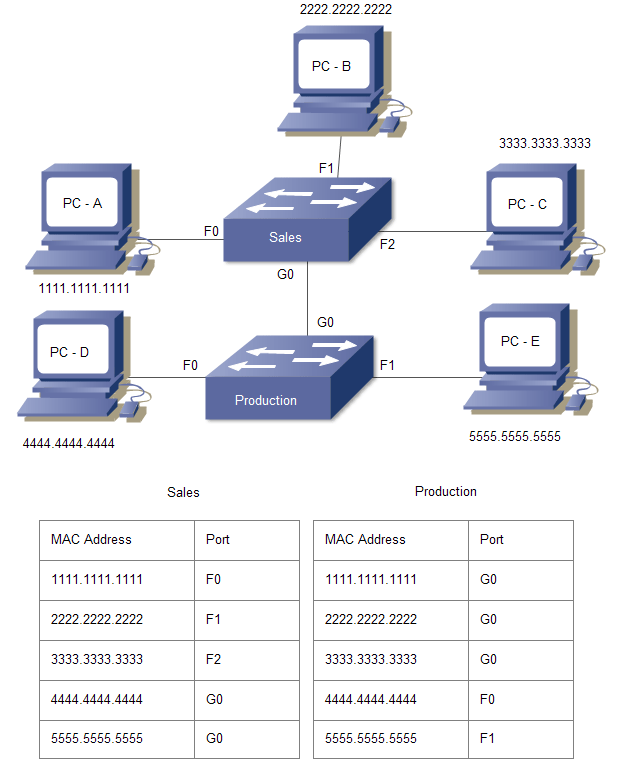
📌 What Is a MAC Address Table?
A MAC address table (also called a CAM table) is a memory table inside a switch that maps:
MAC Address → Switch Port
Purpose: Helps the switch forward frames only to the correct port.
🔁 How a Switch Learns MAC Addresses
🧪 Example Network
PC1 ──(Fa0/1) Switch (Fa0/2)── PC2
- PC1 sends a frame
- Switch reads the source MAC
- Stores it in MAC table
- If destination MAC is known → forward
- If unknown → flood to all ports (except incoming)
📊 Sample MAC Address Table
| MAC Address | Port |
|---|---|
| AA:BB:CC:11 | Fa0/1 |
| DD:EE:FF:22 | Fa0/2 |
Switches learn source MAC, not destination MAC.
❌ What If MAC Table Is Empty?
- First frame is flooded
- Reply populates MAC table
- Network becomes efficient
🧠 Real-World Benefits
- Faster communication
- Less network traffic
- Improved security
🔐 PART 2: MAC Filtering (MAC-Based Security)
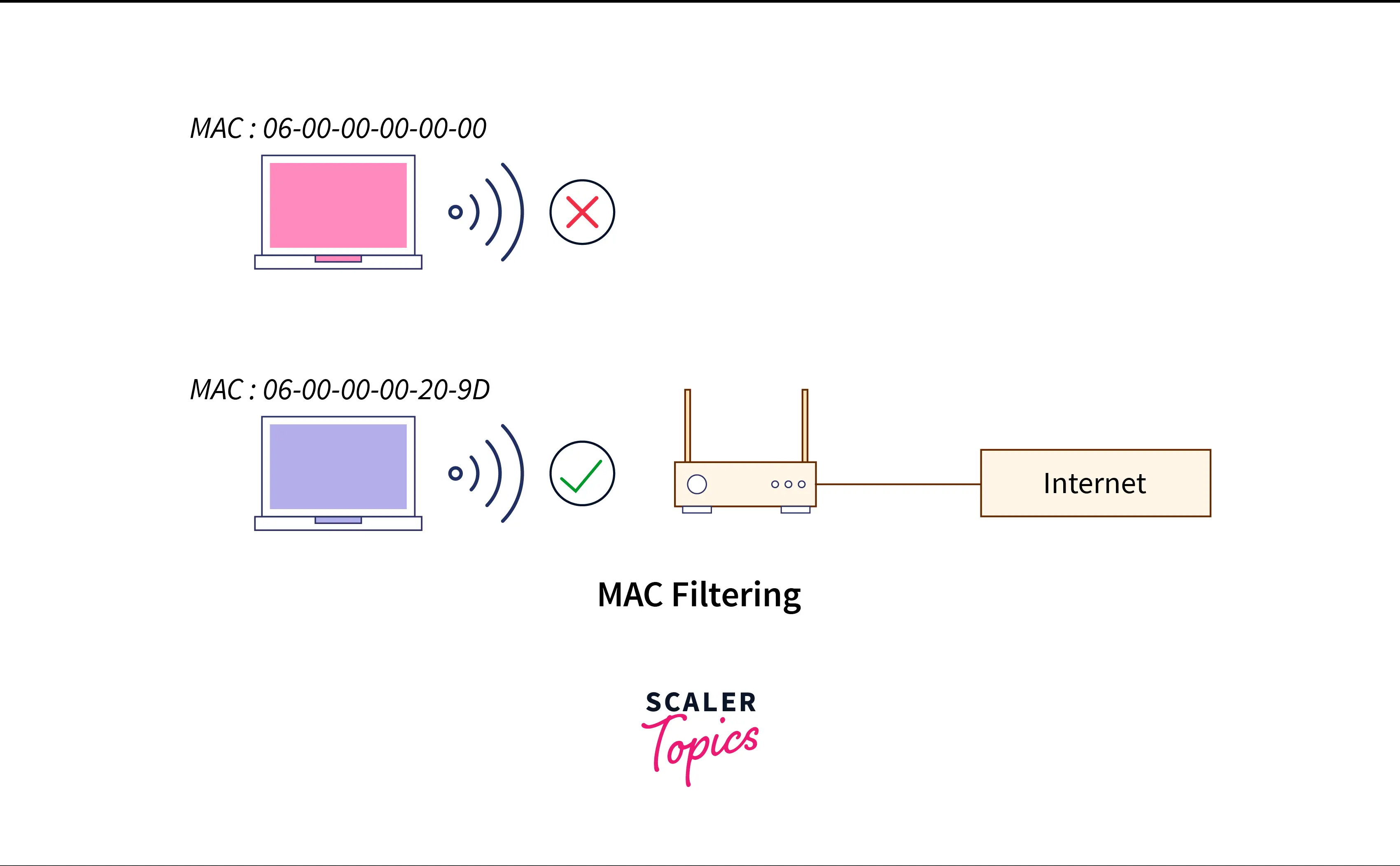
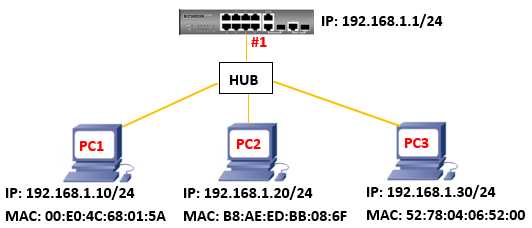
📌 What Is MAC Filtering?
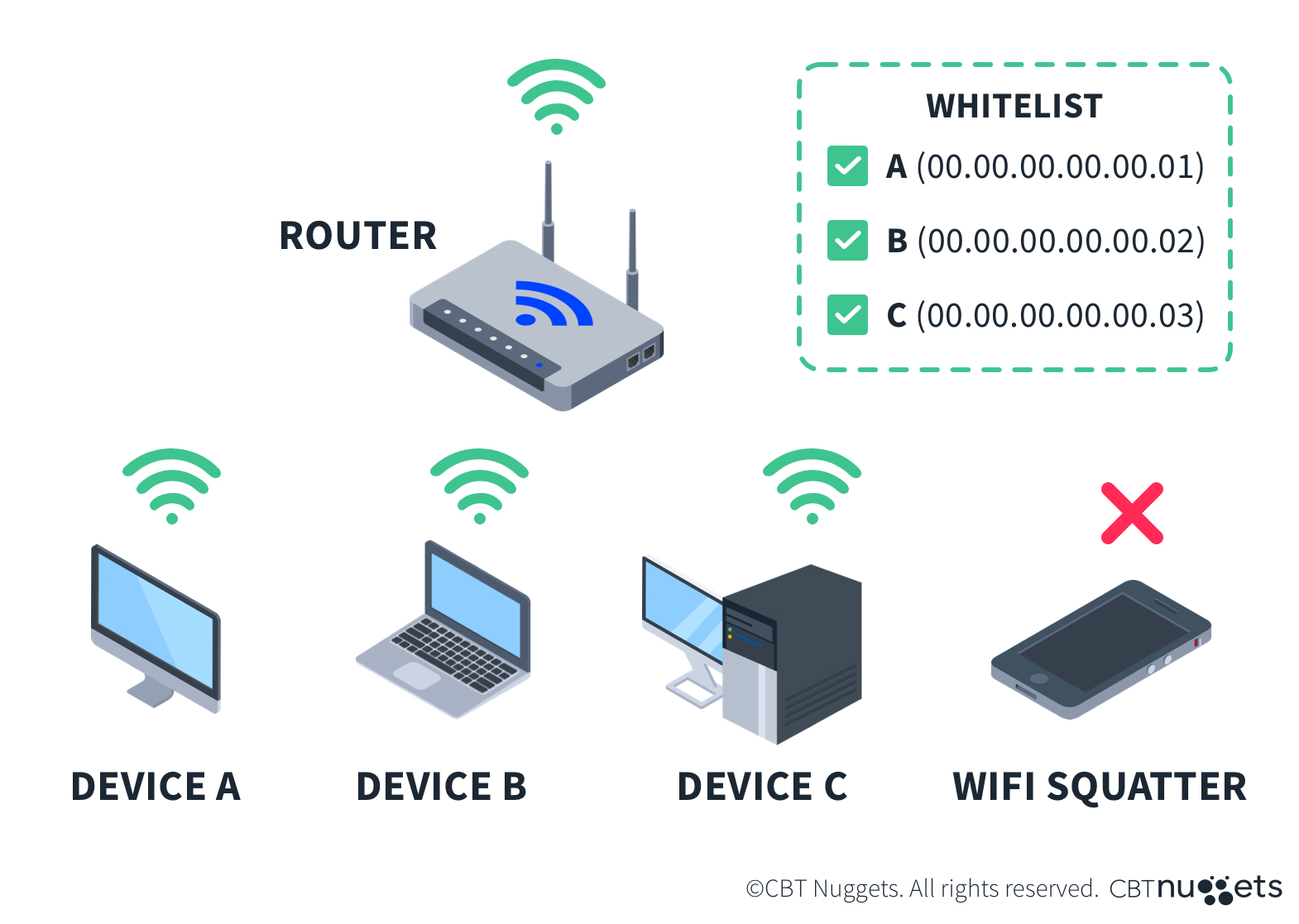
MAC filtering allows or blocks devices based on their MAC address.
“Only approved devices are allowed on the network.”
🔧 How MAC Filtering Works
- Admin defines allowed MAC addresses
- Switch checks device MAC
- Allows or blocks access
🧪 Example (Office Security)
    Allowed:
    AA:BB:CC:11 (PC)
    DD:EE:FF:22 (Printer)

    Unknown laptop → Blocked
✅ Advantages
- Prevents unauthorized access
- Easy to configure
❌ Limitations (Exam Important)
- MAC spoofing possible
- Not scalable for large networks
MAC filtering = Basic security, not foolproof
🧠 Where MAC Filtering Is Used
- Switch port security
- Home Wi-Fi routers
- Small office networks
🧩 PART 3: VLAN Concepts
📌 What Is a VLAN?
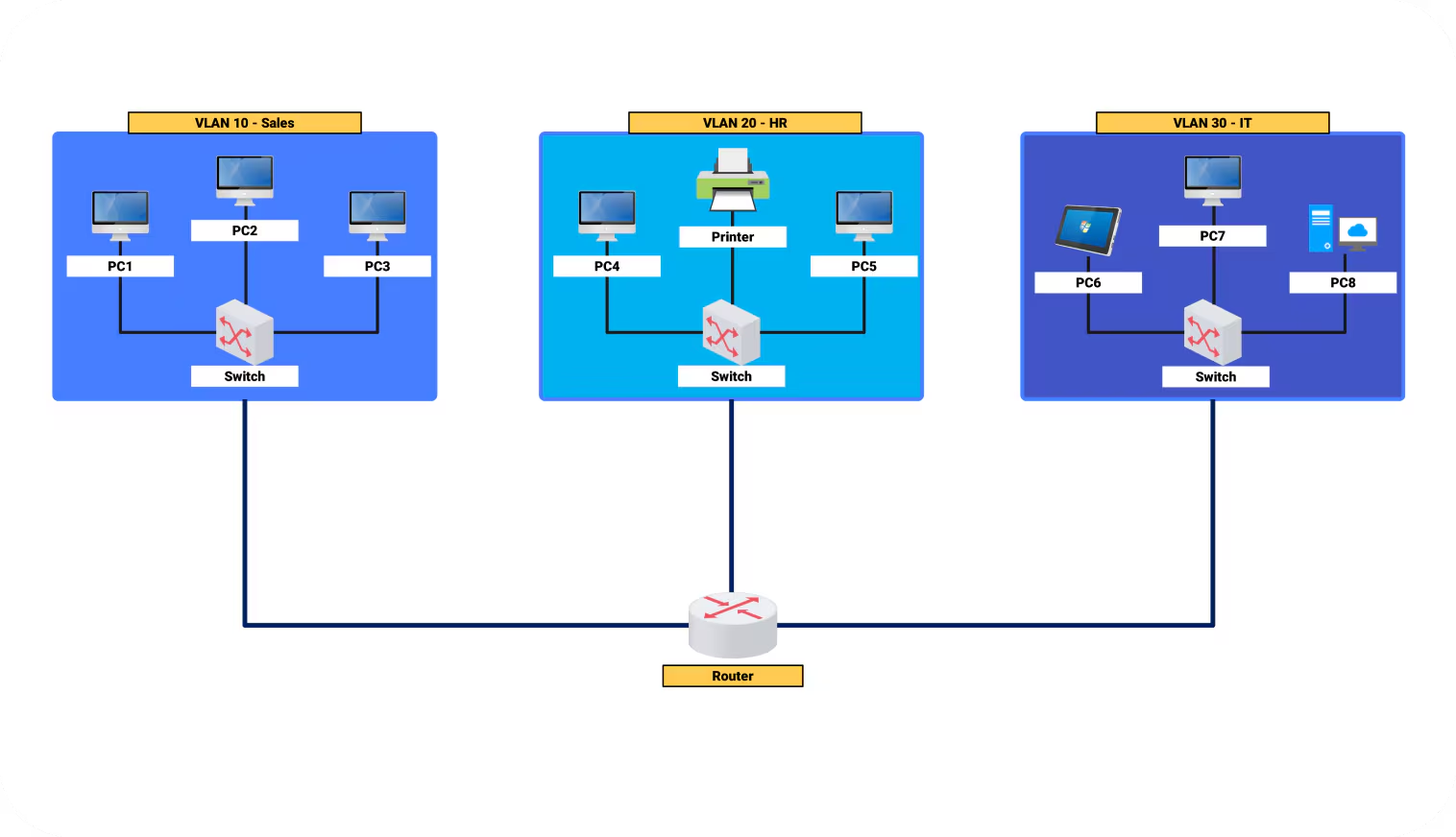
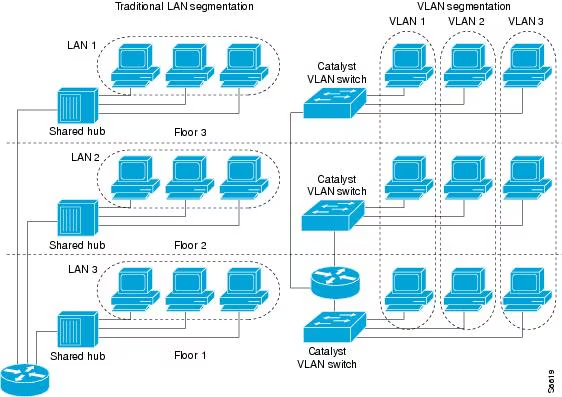
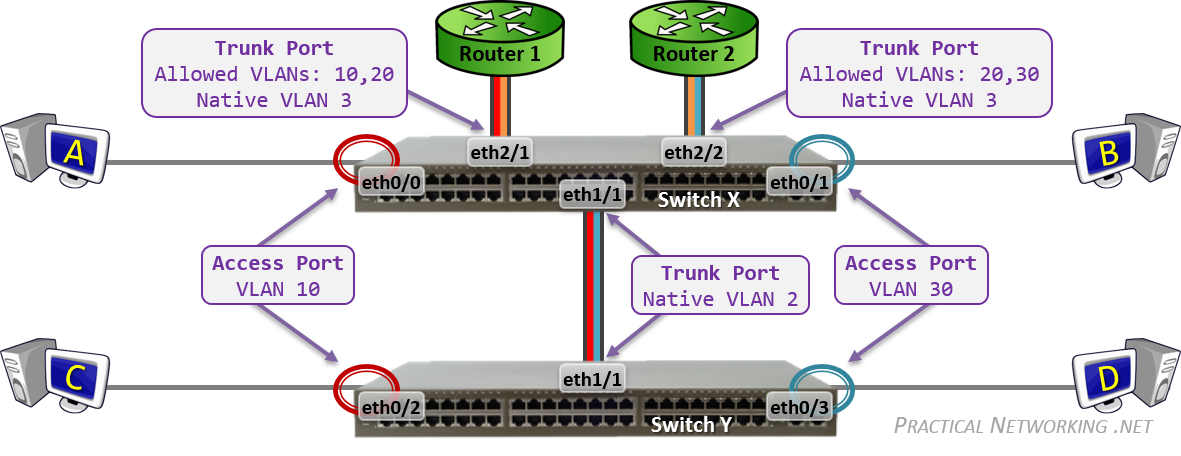
A VLAN (Virtual LAN) is a logical network created inside a switch.
Devices can be separated even if they are on the same physical switch.
🧠 Why VLANs Are Needed
| Without VLAN | With VLAN |
|---|---|
| One big broadcast domain | Separate networks |
| More traffic | Less broadcast traffic |
| Low security | Better security |
🧪 Example (Same Switch, Different VLANs)
    Switch
    ├── VLAN 10 → HR PCs
    ├── VLAN 20 → IT PCs
- HR and IT are isolated
- No direct communication
VLAN = Separate broadcast domains
🧠 Key Rule
VLANs cannot communicate without a Layer 3 device.
🔀 Inter-VLAN Communication
- Router-on-a-stick
- Layer 3 switch
📊 VLAN Benefits (Exam-Ready)
| Benefit | Explanation |
|---|---|
| Security | Departments isolated |
| Performance | Reduced broadcast traffic |
| Flexibility | Logical grouping |
| Scalability | Easy expansion |
🧠 VLAN IDs (Quick Facts)
- VLAN 1 = Default VLAN
- VLAN range: 1–4094
- Each VLAN = separate broadcast domain
🔍 MAC Table + VLAN (IMPORTANT)
Switch maintains separate MAC tables per VLAN.
    VLAN 10: MAC A → Fa0/1
    VLAN 20: MAC A → Fa0/3
Same MAC address in different VLANs is allowed.
📊 Switching Fundamentals – Combined Summary
| Concept | Purpose |
|---|---|
| MAC Address Table | Efficient forwarding |
| MAC Filtering | Device-level security |
| VLAN | Network segmentation |