📡 Packet Capture
Packet capture lets you see exactly what is happening on a network—packet by packet. This skill is essential for CCST exams, network troubleshooting, and real IT/help-desk roles.
The most widely used packet capture tool is Wireshark.
🧠 What Is Packet Capture?
- Capturing network packets
- Inspecting headers and payloads
- Analyzing traffic behavior
Packet capture = X-ray of the network
🛠️ 1️⃣ Wireshark Usage
📌 What Is Wireshark?
Wireshark is a packet analyzer that captures live network traffic and displays packets in a human-readable format.
- ✔ Free
- ✔ Open-source
- ✔ Industry standard
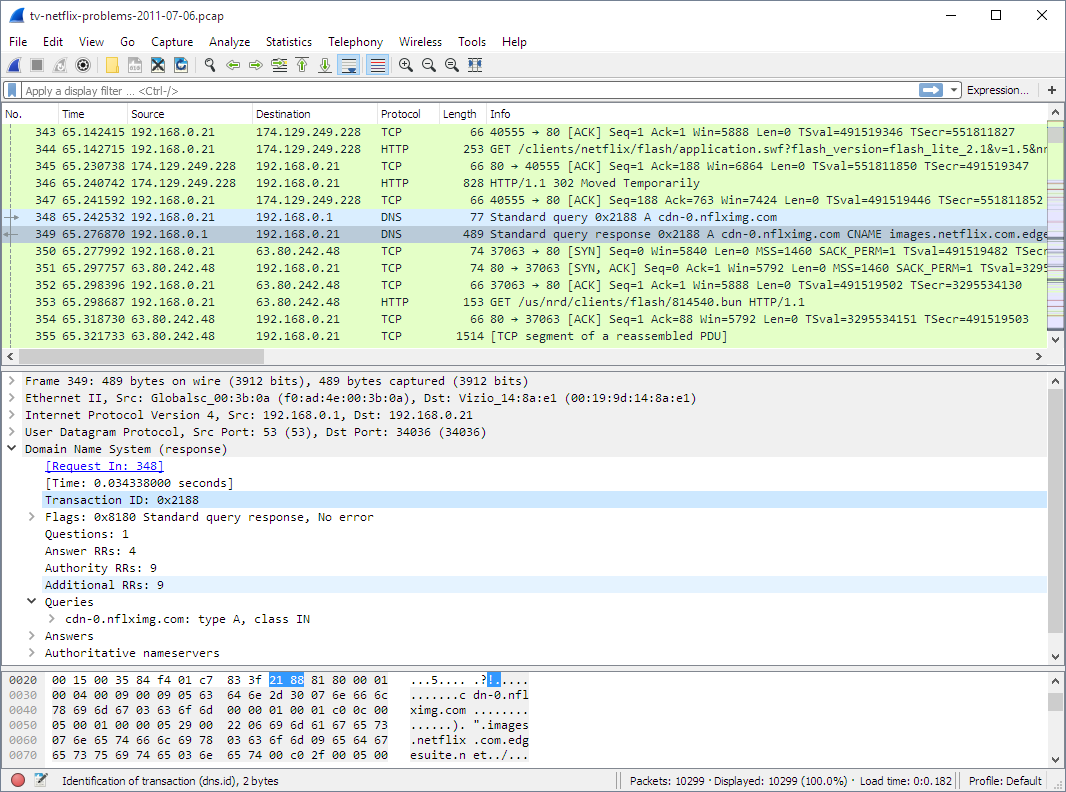
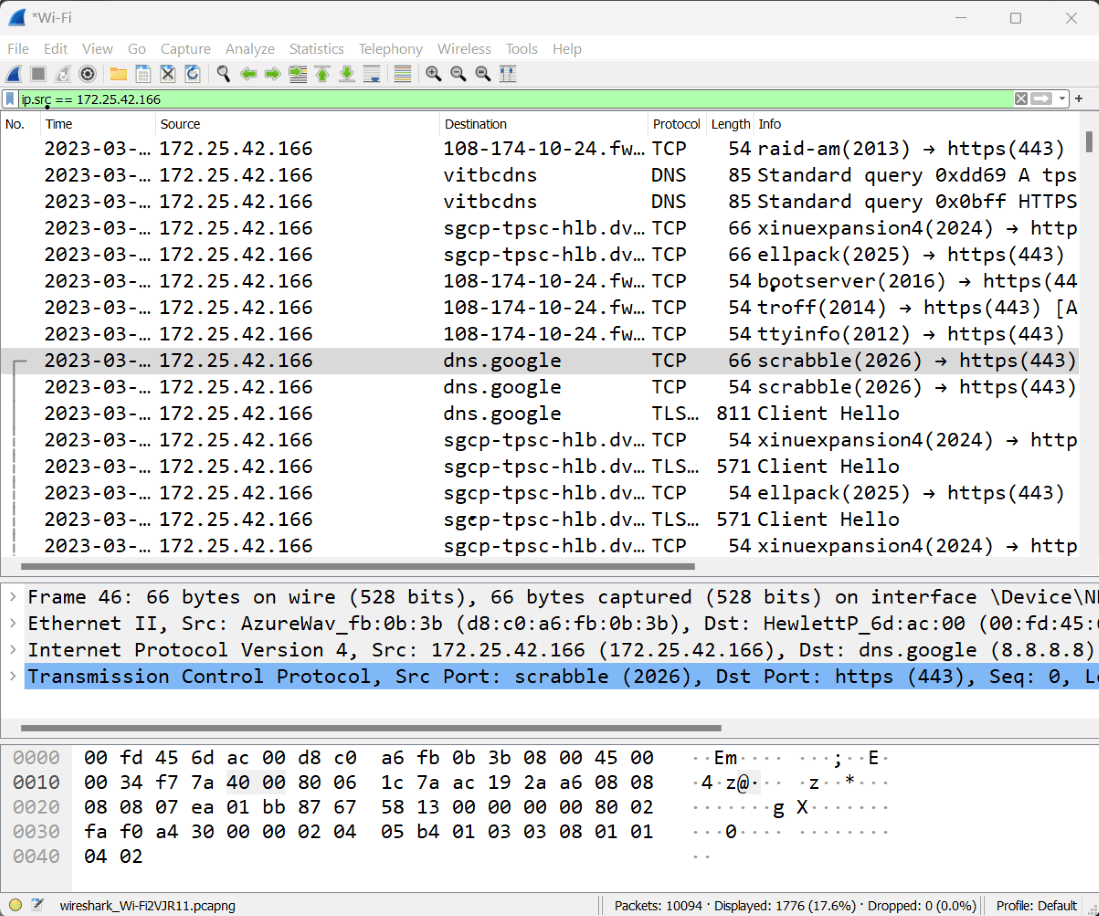
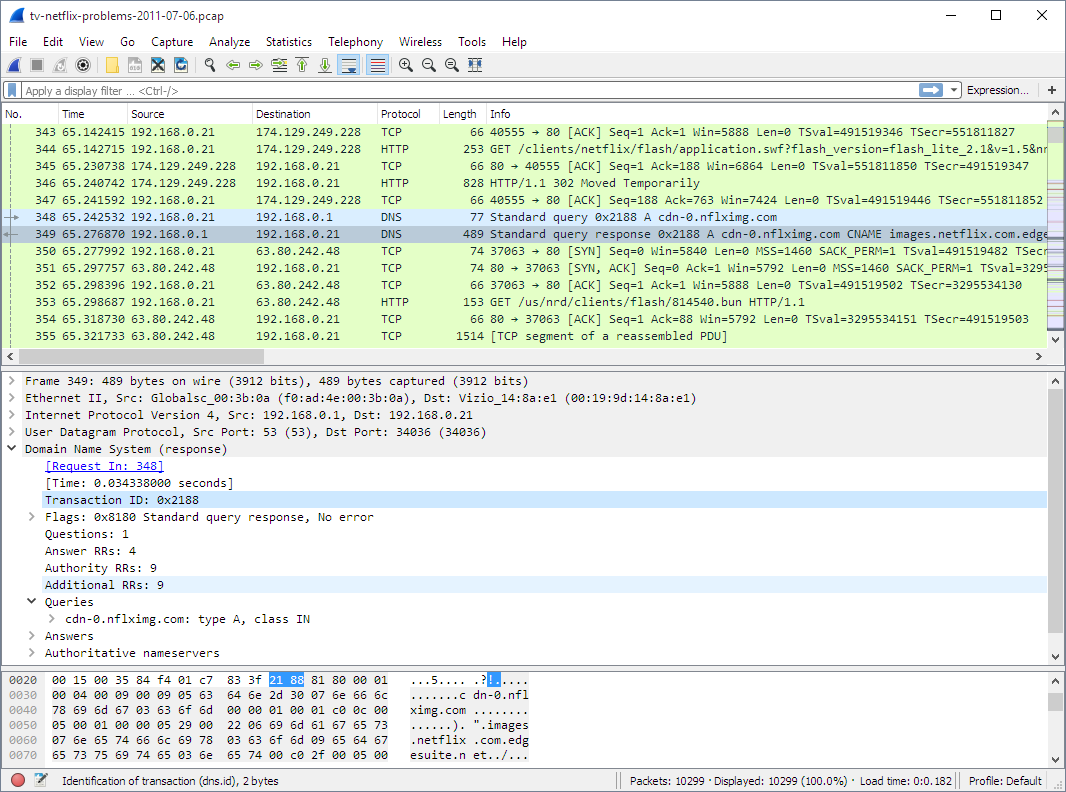
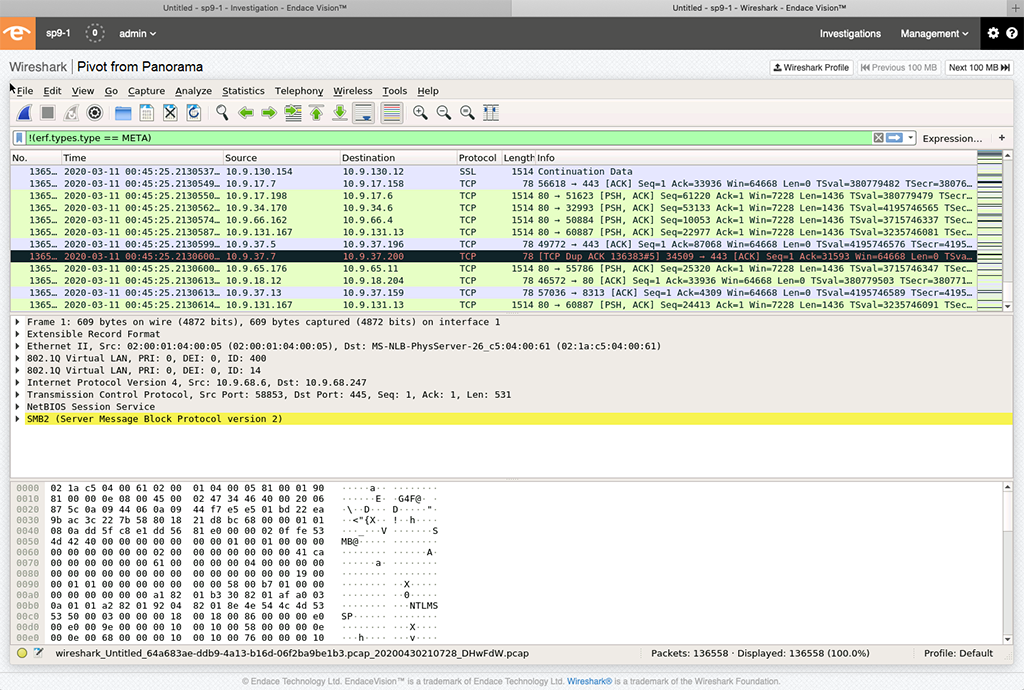
🖥️ Wireshark Interface (Exam Important)
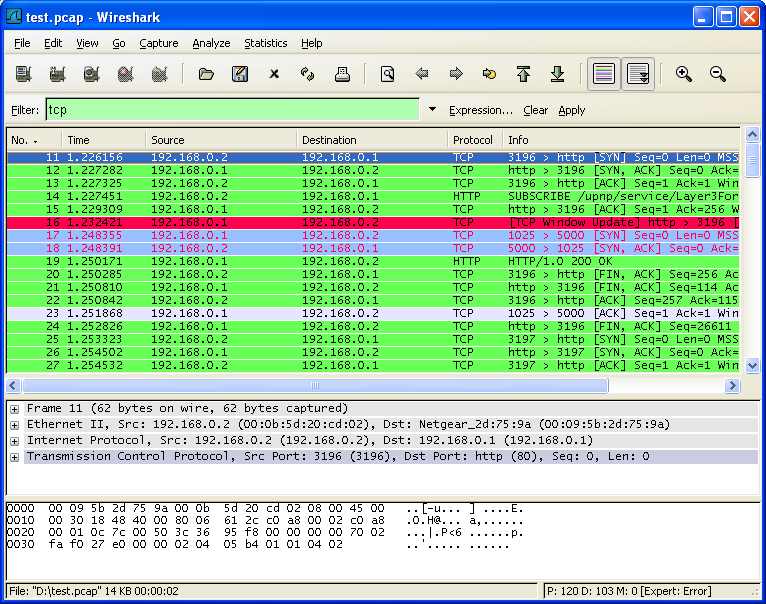
- Packet List Pane (Top): All captured packets (time, source, destination, protocol)
- Packet Details Pane (Middle): Protocol layers (Ethernet, IP, TCP/UDP, HTTP/DNS)
- Packet Bytes Pane (Bottom): Raw data (Hex + ASCII)
Protocol layers are shown in the Packet Details Pane
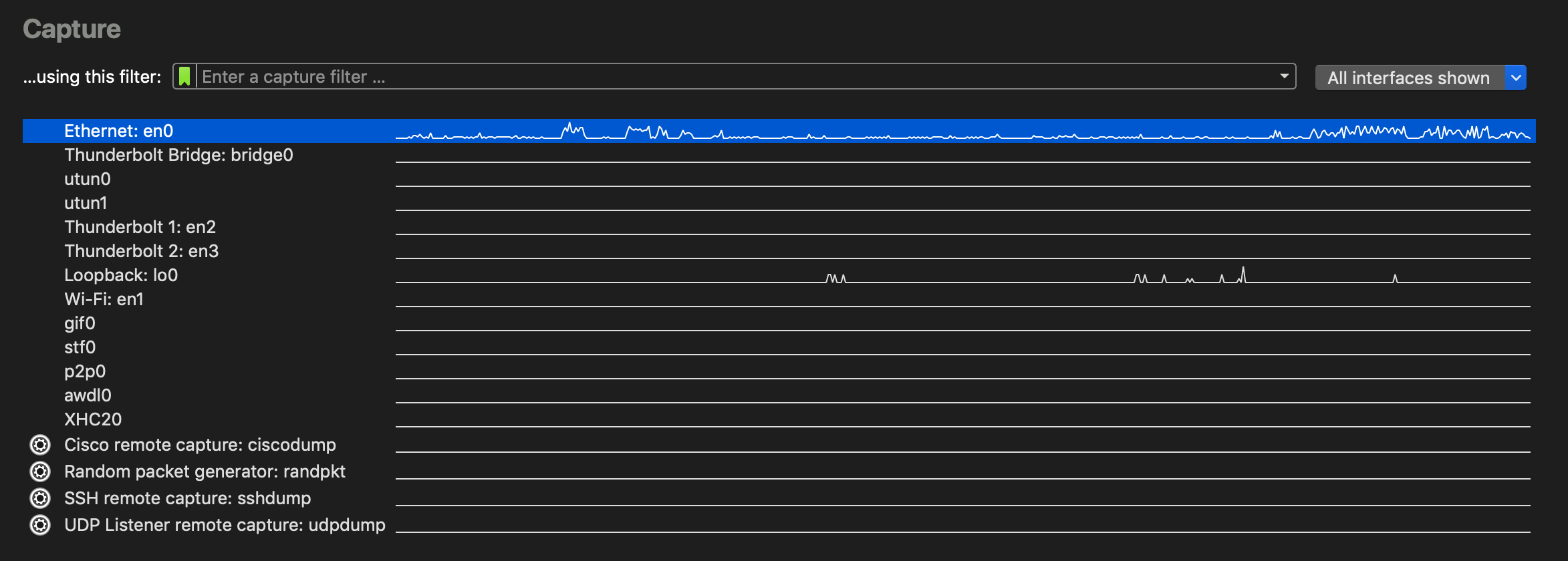
▶️ How to Capture Packets (Step-by-Step)
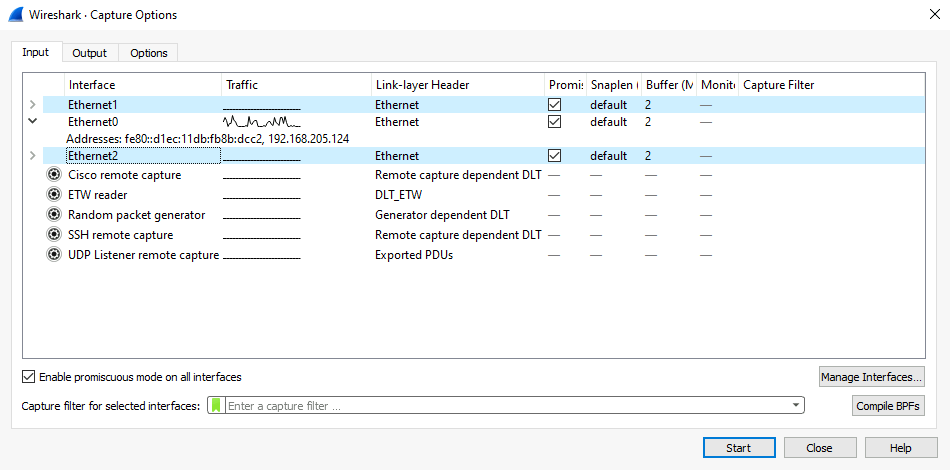
- Select network interface (Ethernet / Wi-Fi)
- Click Start (blue shark fin)
- Generate traffic (open website, ping)
- Click Stop (red square)
🔍 Filters in Wireshark
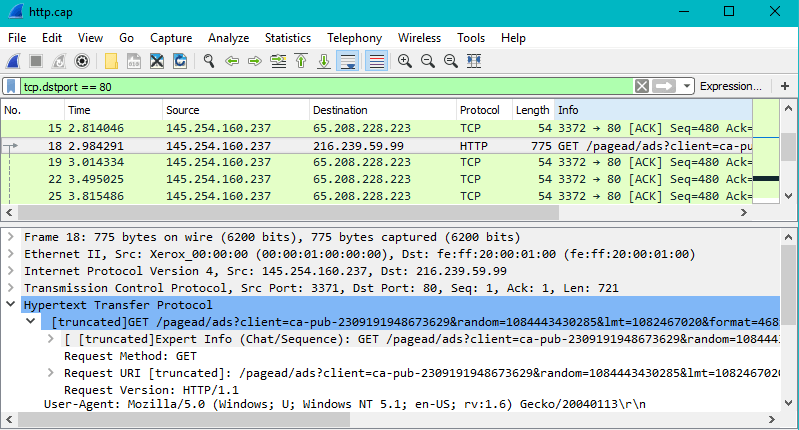
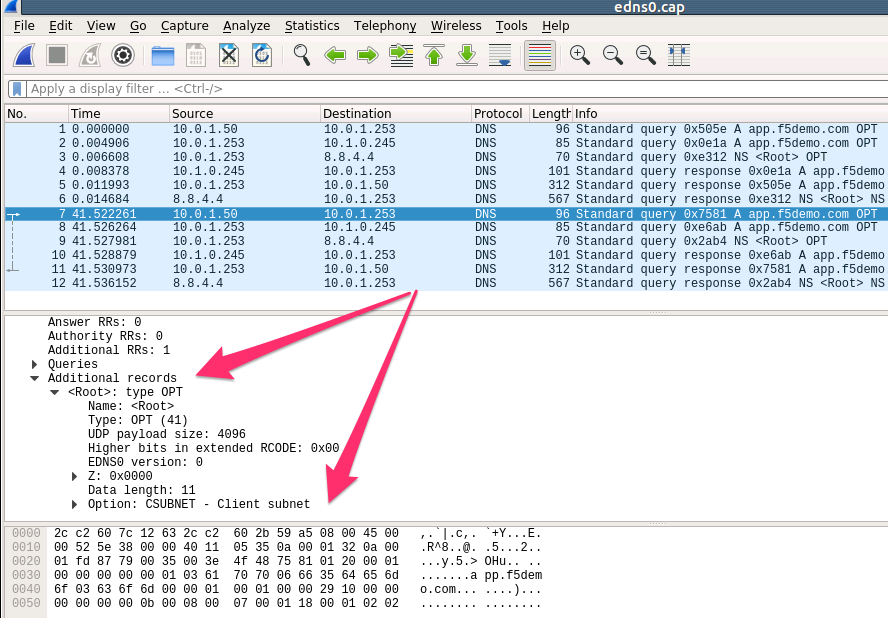
| Filter | Purpose |
|---|---|
| ip | All IP packets |
| tcp | TCP traffic |
| udp | UDP traffic |
| http | HTTP packets |
| dns | DNS queries |
Filters reduce noise — they do NOT stop capture
🧪 Real-World Example: Website Not Loading
- Start Wireshark
- Apply filter: dns
- Open website
- ❌ No DNS response → DNS issue
- ✔ DNS OK but no HTTP → Web server issue
💾 2️⃣ Saving & Opening .pcap Files
📌 What Is a .pcap File?
A .pcap file stores captured packets so they can be analyzed later or shared.
Think of a .pcap file as a recorded video of network traffic.
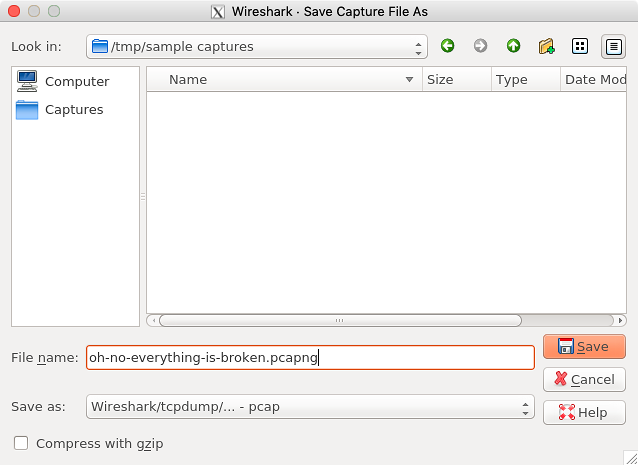
💾 How to Save a Capture File
- Stop capture
- File → Save As
- Choose location
- Select .pcap or .pcapng
- Click Save
Example file: dns_issue.pcap
📂 How to Open a .pcap File
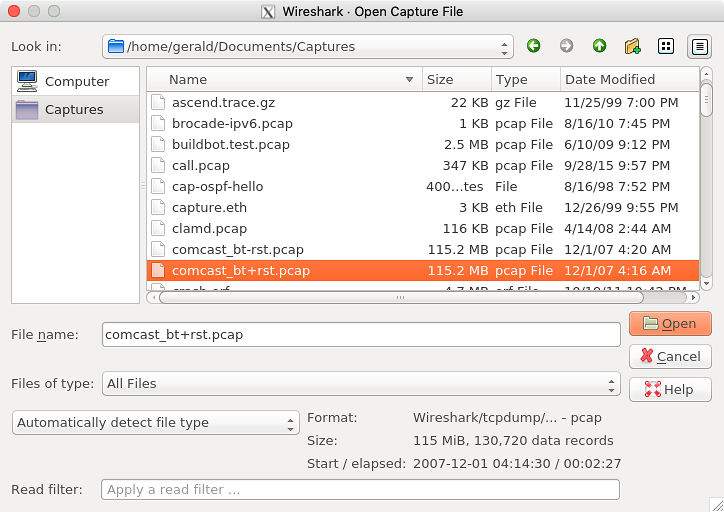
- Method 1: Wireshark → File → Open
- Method 2: Double-click .pcap file
.pcap files can be analyzed without a live network
🧪 Cisco Packet Tracer vs Wireshark
- Packet Tracer: Simulation mode (learning)
- Wireshark: Real packet capture (analysis)
Packet Tracer = Learning
Wireshark = Real-world troubleshooting
Wireshark = Real-world troubleshooting
🔐 Important Security Note
- Wireshark can capture HTTP passwords
- HTTPS encrypts payload
- Always capture traffic legally and ethically
Packet capture requires permission
📊 Packet Capture – Exam-Ready Summary
| Concept | Key Point |
|---|---|
| Packet capture | Inspect network traffic |
| Wireshark | Packet analyzer |
| Filter | Shows selected packets |
| .pcap file | Saved packet capture |
| Use case | Troubleshooting |