🌐 Routing Fundamentals – Default Gateway
The default gateway is one of the most important routing concepts. If you understand this properly, routing, internet access, and troubleshooting become simple—both for CCST exams and real networks built on devices from Cisco Systems.
🚪 What Is a Default Gateway?
A default gateway is the router IP address that a device uses to send traffic outside its local network.
“When I don’t know where to send data, I send it to the gateway.”
🧠 Why Default Gateway Is Needed
A computer can communicate directly only with devices in the same network. To reach other networks or the internet, it needs help from a router.
🗺️ How Default Gateway Works (Step-by-Step)
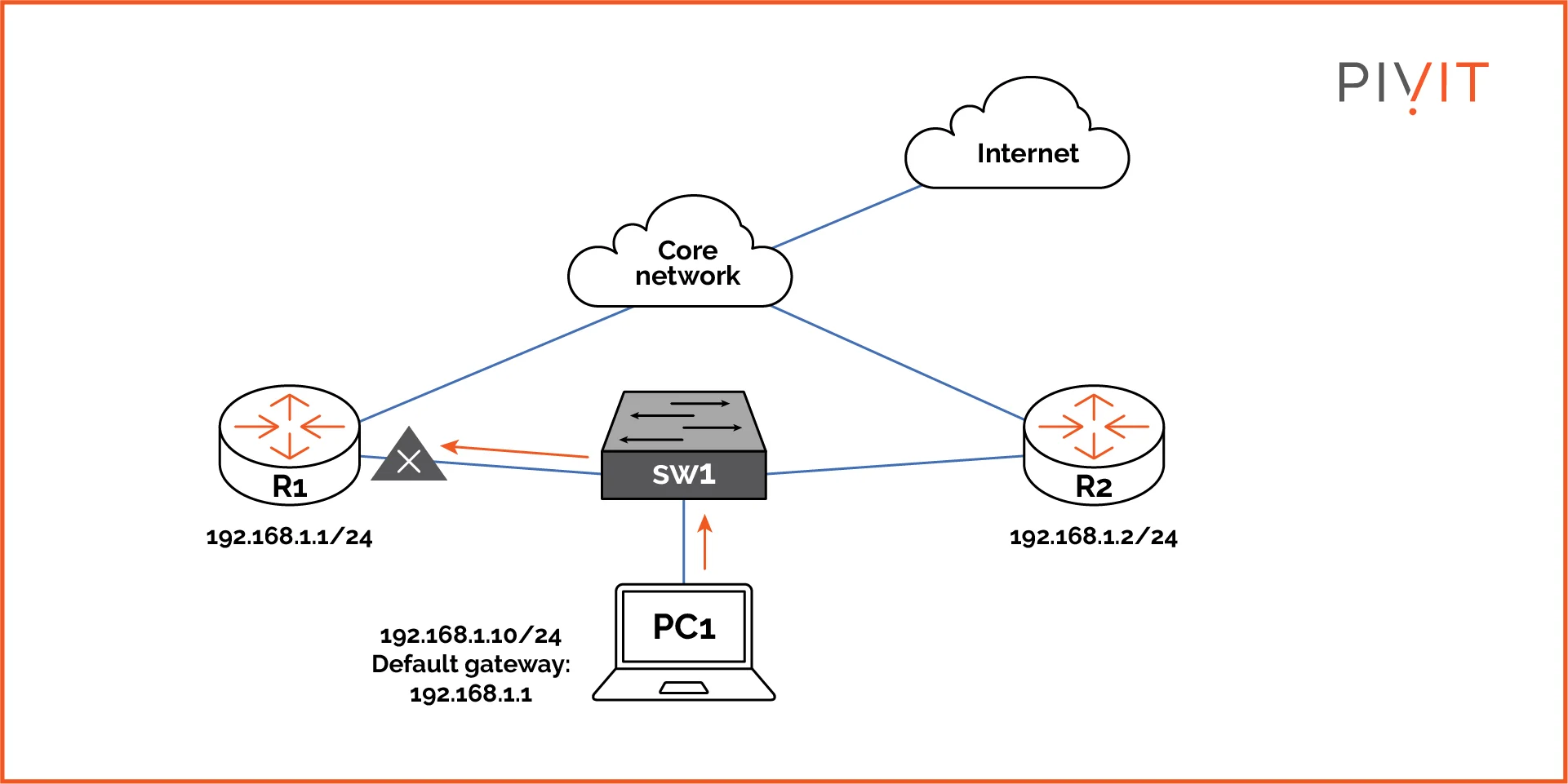
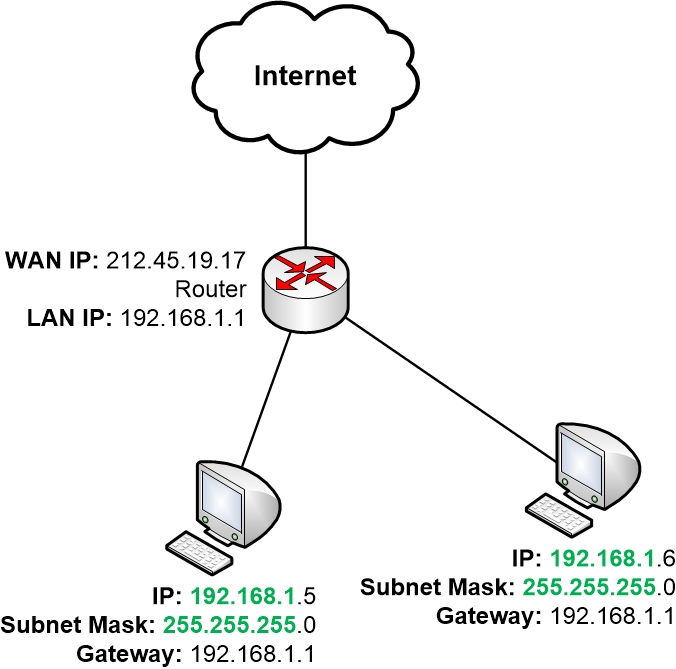
Example Network
    PC IP: 192.168.1.10
    Subnet Mask: 255.255.255.0
    Default Gateway: 192.168.1.1
Step-by-Step Flow
- PC tries to open google.com
- Destination IP is not in local network
- PC sends packet to default gateway
- Router forwards packet to ISP / Internet
- Response returns through the same path
Outside traffic → Gateway
🏠 Real-Life Analogy (Very Important)
- Your house = Local network
- You = PC
- Main gate = Default gateway
- Roads outside = Internet
💻 Real-World Example (Home Network)
    Laptop IP: 192.168.0.15
    Router IP: 192.168.0.1
    Default Gateway: 192.168.0.1
- ✔ Internet works
- ✔ Cloud apps accessible
- ❌ Wrong gateway → No internet
🧪 Cisco Packet Tracer Example
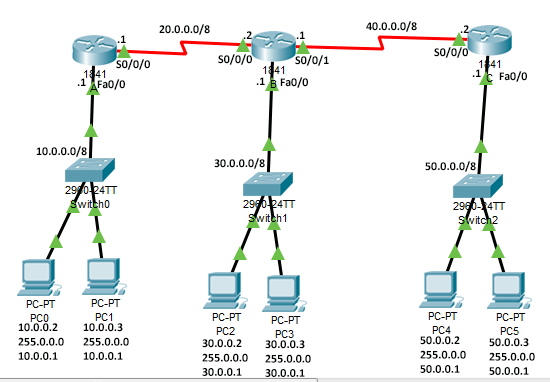
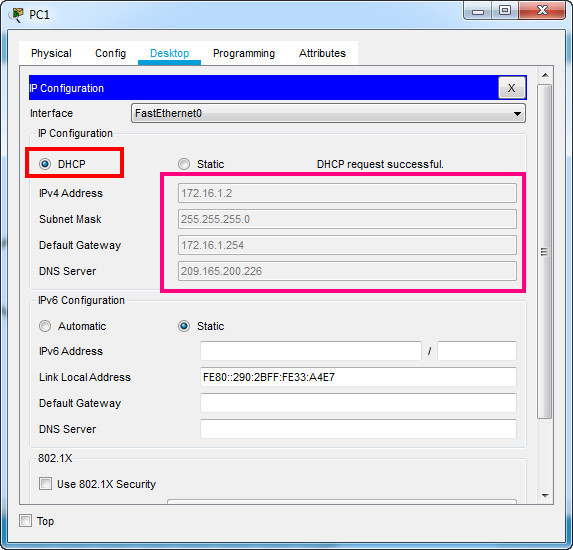
PC Configuration Steps
- Click PC
- Desktop → IP Configuration
- Enter IP, Subnet Mask, Default Gateway
    IP Address: 192.168.1.10
    Subnet Mask: 255.255.255.0
    Default Gateway: 192.168.1.1
- Ping router → ✅
- Ping another network → ✅
❌ What Happens If Default Gateway Is Missing or Wrong?
Scenario 1: Gateway Missing
- Local devices reachable
- Internet access fails
Scenario 2: Wrong Gateway
- Packets go nowhere
- Request timed out errors
📊 Default Gateway vs IP Address vs Subnet
| Term | Purpose |
|---|---|
| IP Address | Identity of the device |
| Subnet Mask | Defines local network |
| Default Gateway | Exit point to other networks |
🧠 Default Gateway on Different Devices
- Computers: Manual or via DHCP
- Mobile phones: Auto-configured via Wi-Fi router
- Routers: Default route (0.0.0.0/0)
🛣️ Advanced (Extra Knowledge – Exam Boost)
Default Route on Router
0.0.0.0/0 → ISP Router
Router uses default route
🧠 Layer 2 vs Layer 3 Devices
Understanding Layer 2 and Layer 3 devices is a core networking concept. It explains who talks using MAC addresses, who talks using IP addresses, and who can reach the internet.
📘 Quick OSI Context (Foundation)
| OSI Layer | Name | What It Handles |
|---|---|---|
| Layer 2 | Data Link | MAC addresses, frames |
| Layer 3 | Network | IP addresses, routing |
🔵 Layer 2 Devices
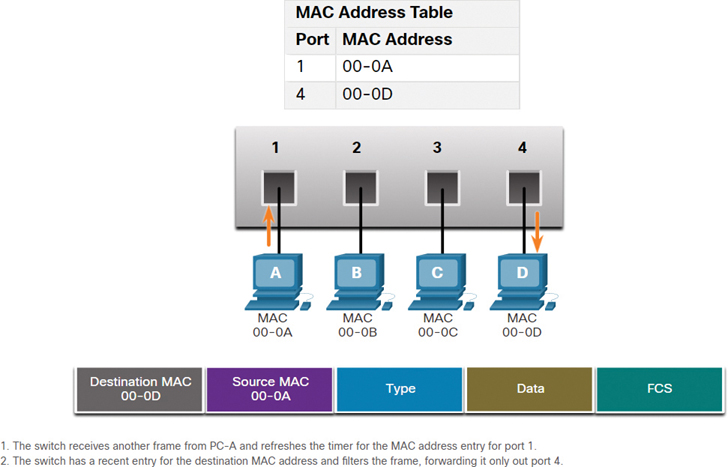
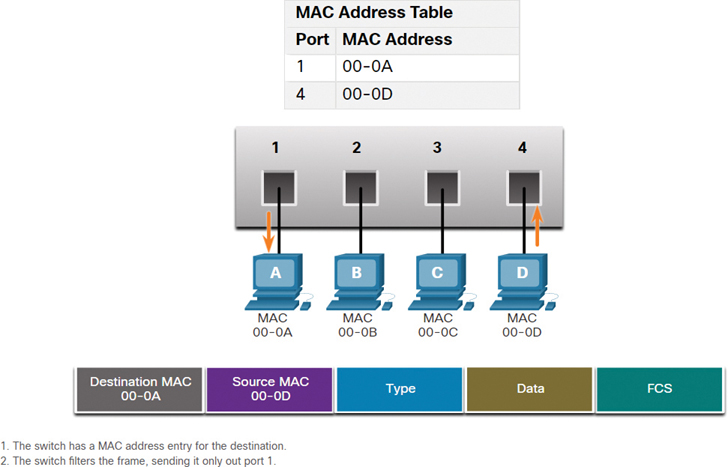
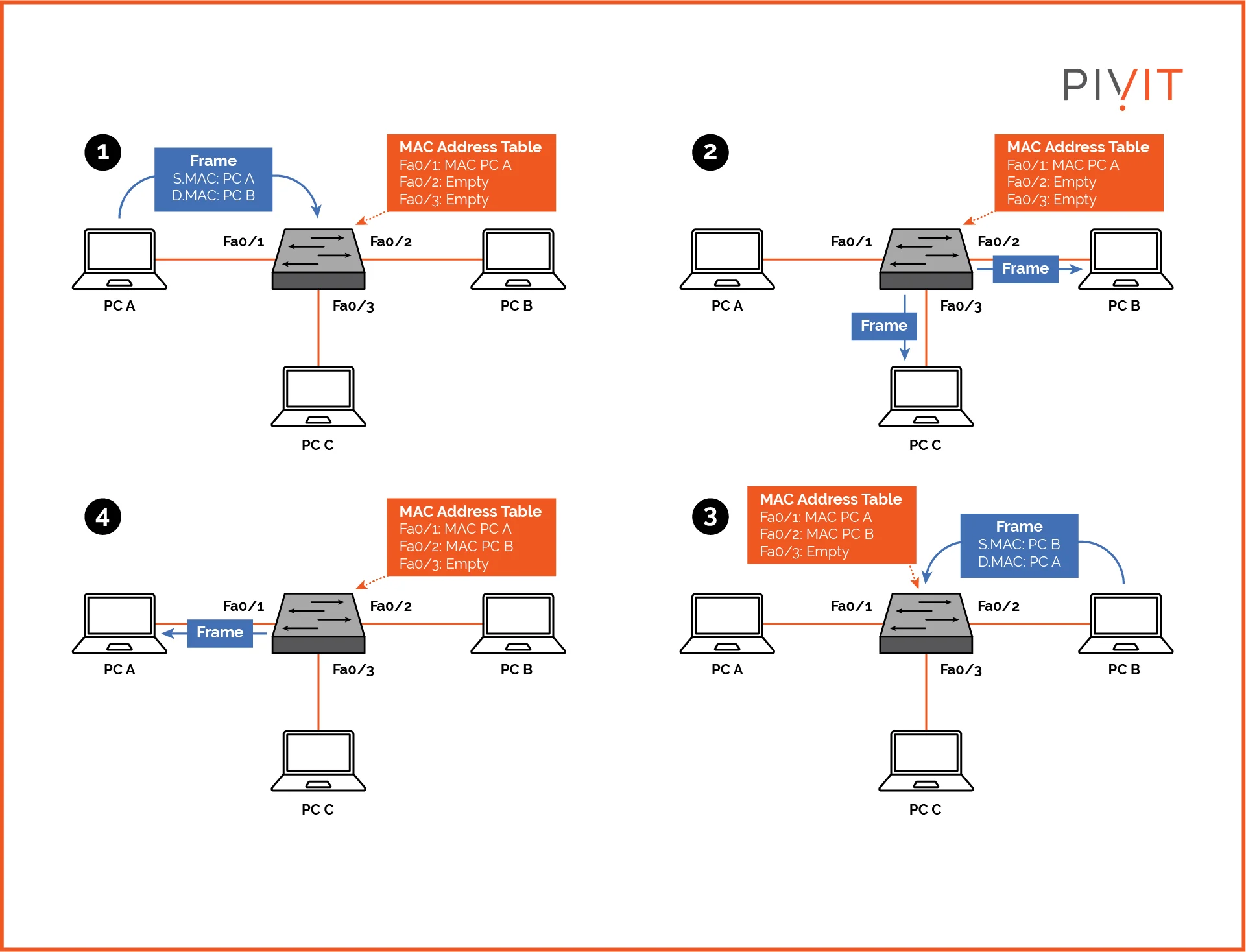
📌 What Is a Layer 2 Device?
A Layer 2 device forwards data within the same network using MAC addresses.
🧠 Key Identity
- Uses: MAC Address
- Data Unit: Frame
- Scope: Local network (LAN)
🔁 Common Layer 2 Devices
- Switch (Most Important) – Learns MACs and forwards frames
- Bridge – Older technology, rarely used today
⚙️ How a Layer 2 Switch Works (Step-by-Step)
PC1 (MAC A) → Switch → PC2 (MAC B)
- Frame enters the switch
- Switch reads destination MAC address
- Looks up MAC address table
- Forwards frame to correct port
🧪 Example (Office LAN)
    PC ─┐
    PC ─┼── Switch ─── Printer
    PC ─┘
- Fast communication
- No IP routing
- Same subnet
❌ Limitations of Layer 2 Devices
- Cannot connect different networks
- Cannot route between subnets
- Cannot access the internet alone
🟢 Layer 3 Devices
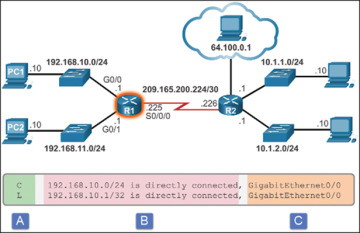
📌 What Is a Layer 3 Device?
A Layer 3 device forwards data between different networks using IP addresses.
🧠 Key Identity
- Uses: IP Address
- Data Unit: Packet
- Scope: Inter-network (LAN ↔ WAN)
🔀 Common Layer 3 Devices
- Router (Most Important) – Connects networks and provides internet
- Layer 3 Switch – Switch + Router combined
⚙️ How a Router Works (Step-by-Step)
PC → Switch → Router → Internet
- Router receives packet
- Reads destination IP address
- Checks routing table
- Forwards packet to next hop
🧪 Example (Home Network)
Laptop → Wi-Fi Router → Internet
🧠 Layer 3 Switch
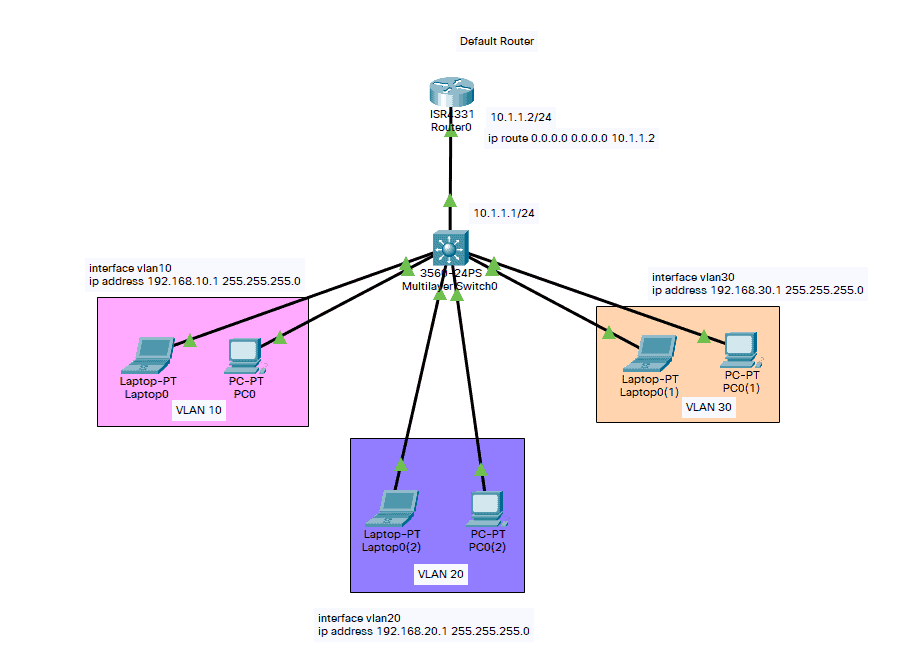
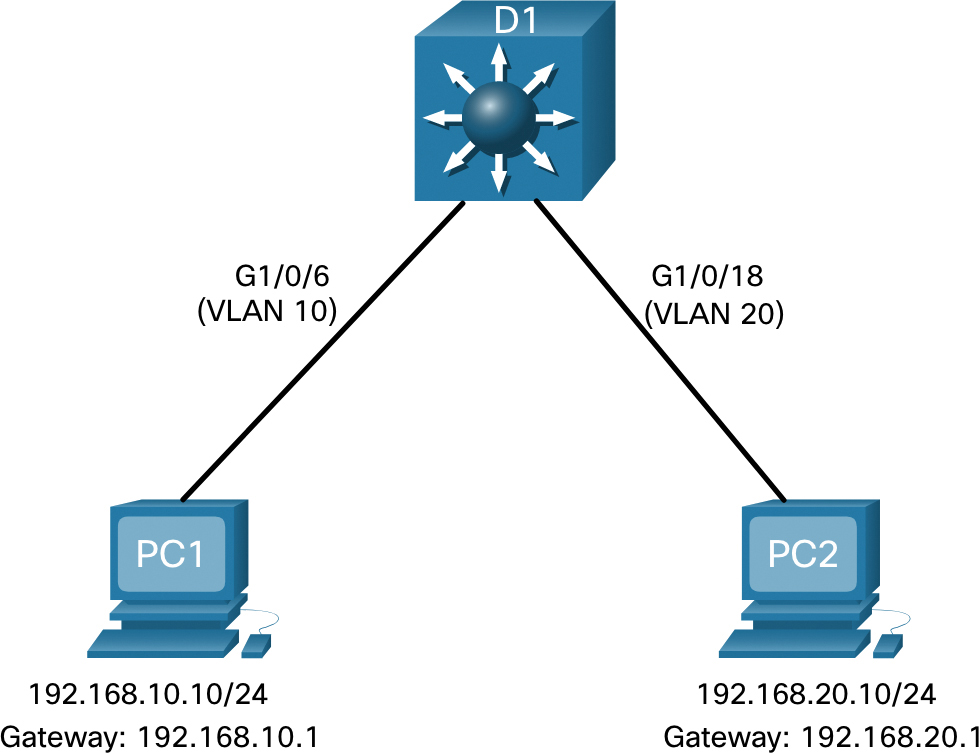
What It Does
- Routes traffic between VLANs
- Faster than traditional routers
- Used inside enterprise LANs
    VLAN 10 ─┐
             ├─ Layer 3 Switch ─ Internet
    VLAN 20 ─┘
🔍 Layer 2 vs Layer 3 (Exam-Ready Comparison)
| Feature | Layer 2 Device | Layer 3 Device |
|---|---|---|
| OSI Layer | Layer 2 | Layer 3 |
| Uses | MAC Address | IP Address |
| Data Unit | Frame | Packet |
| Network Scope | Same LAN | Different networks |
| Internet Access | ❌ No | ✅ Yes |
| Example | Switch | Router |
| Speed | Faster | Slightly slower |
🧠 Real-World Troubleshooting Scenarios
🔧 Scenario 1: PCs Can Talk, No Internet
- Switch is working
- Router missing or misconfigured
- 👉 Problem at Layer 3
🔧 Scenario 2: One PC Not Communicating
- Router is OK
- Switch port or MAC issue
- 👉 Problem at Layer 2
Router talks IP
🌍 Local vs Remote Networks
Understanding local vs remote networks answers a simple but powerful question: “Can my device send data directly, or does it need a router?”
🧠 The Big Idea (One Line)
Remote network → Different subnet → Via router (default gateway)
🏠 Local Network
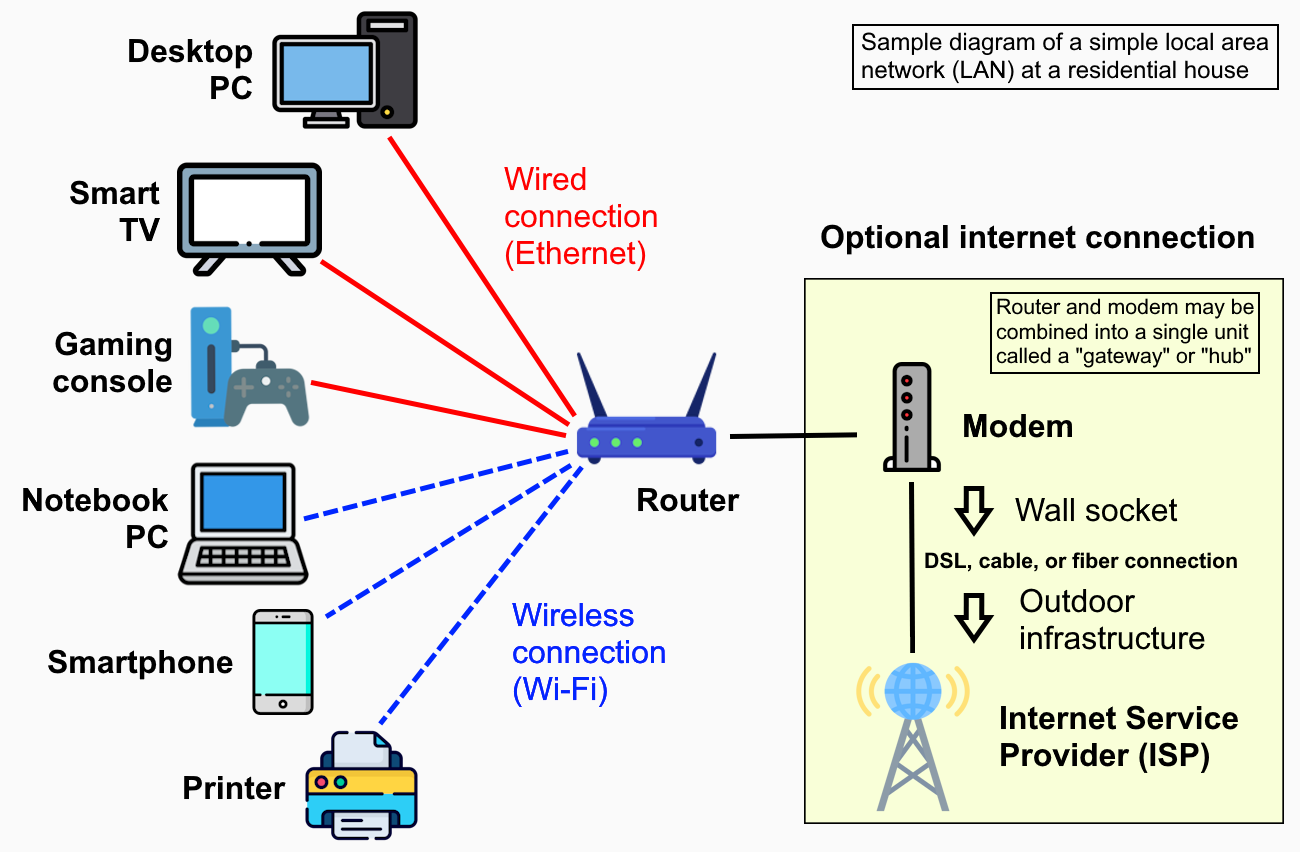
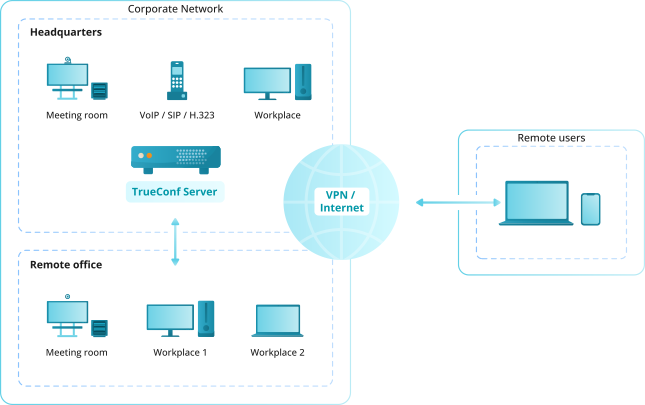
📌 What Is a Local Network?
- Devices are in the same IP subnet
- They communicate directly
- No router is required for delivery
🔑 How a Device Knows It’s Local
The device compares the destination IP address with its own IP address using the subnet mask.
🧪 Example (Same Subnet)
    PC1: 192.168.1.10 /24
    PC2: 192.168.1.20 /24

    Network: 192.168.1.0/24
Result: Local communication
📌 Data Path
PC1 ── Switch ── PC2
- Uses MAC addresses
- Handled by Layer 2 (switch)
- No default gateway involved
🧠 Real-Life Analogy
No main gate needed
🧠 Key Characteristics (Exam-Ready)
- Same subnet
- Switch-based forwarding
- Low latency, fast
- No routing required
🌐 Remote Network
📌 What Is a Remote Network?
- Devices are in different IP subnets
- Cannot be reached directly
- Requires a router (default gateway)
🔑 How a Device Knows It’s Remote
Send packet to default gateway
🧪 Example (Different Subnet)
    PC: 192.168.1.10 /24
    Server: 10.0.0.5 /24

    Local:  192.168.1.0/24
    Remote: 10.0.0.0/24
📌 Data Path
PC ─ Switch ─ Router ─ Internet ─ Router ─ Server
- Uses IP addresses
- Handled by Layer 3 (router)
- Default gateway is mandatory
🧠 Real-Life Analogy
Travel using highways (routers)
🔍 How a PC Decides (VERY IMPORTANT)
- PC wants to send data
- Checks destination IP
- Applies subnet mask
- Makes decision:
Different network → Send to default gateway
This decision is made before any packet leaves the PC.
🧪 Cisco Packet Tracer Behavior
Case 1: Local Ping
- PCs in same subnet
- Ping works without router
Case 2: Remote Ping
- Different subnets
- Ping fails ❌ without gateway
- Ping succeeds ✅ with gateway
📊 Local vs Remote (Exam-Ready Comparison)
| Feature | Local Network | Remote Network |
|---|---|---|
| Subnet | Same | Different |
| Delivery | Direct | Via router |
| Device Used | Switch (Layer 2) | Router (Layer 3) |
| Address Type | MAC | IP |
| Default Gateway | ❌ Not needed | ✅ Required |
| Speed | Faster | Slightly slower |
🧠 Common Exam Traps
- ❌ PCs on same switch are always local → Wrong (subnet matters)
- ❌ Internet issue means switch problem → Wrong (usually gateway)
- ✔ Same subnet = Local
- ✔ Different subnet = Remote
🧠 Troubleshooting Using This Concept
🔧 Local works, Internet doesn’t
👉 Default gateway or router issue
🔧 Internet works, one PC can’t talk locally
👉 Switch, VLAN, or subnet issue